
Tuesday, November 26, 2013
Smart Board
Tonight we went over Smart Boards in class today. The Smart Board is an interactive whiteboard that uses touch detection for user input in the same way as normal PC input devices. Using a Smart Board is a great way to keep your lesson interactive and keep the students involved in what they are learning. We learned different ways to use the Smart Board and different methods to keep the lesson interactive. Some of the things we learned in class were the ability to use pictures, videos, and different texts for the lesson. Another thing we learned was the ability to clone objects, make things appear and disappear, and how to highlight topics and pictures. If you are interested in learning more about Smart Boards here is a link to the Smart Board Manual or a link to my Smart Board Lesson.

Monday, November 25, 2013
Webinar
Today I watched the video from Todd Nesloney from 9/17/13. Todd is a 5th grade teacher and has been doing the Flipped Classroom for 2 years now. If you are interested in watching any of the videos here is the link to see what he has to say. There are three videos to choose from so try them all. Todd Nesloney Videos
One of the things I have learned is that the video is only 10% and the 90% is hands on activities. The videos play a part and creates all his videos in the classroom. The videos should only last about 5 to 10 minutes so that the kids stay focused on the material. The videos are not master the material but they are used as a introduction to the material. Keeping the students involved in the videos he also uses the W-S-Q method. He has his students talk about when they watched the video, summarize the material that was on the videos, and come up with questions for the material.
One of the questions I would like to ask him would be if there is any material that he would not use in a Flipped Classroom style? I think that some material might be to detailed or to lengthy. I worry about doing certain topics that might be hard for students to grasp on their own and need more of the hands on approach.
I have been back and forth on doing a Flipped Classroom. I think the Flipped classroom is a great idea and think would be great for some students. My major concern is that students who don't have internet at home or do not have the software to use some of the features that might leave students further behind. If you have the option of having students who can not do the material at home and you give them a chance to do it in the class, the students will miss things at that time. I do like the ideas that he has come up with for solving the issues with no internet and so forth. I do like the concept of having the kids learning the material on their own and having all the materials with them to go back and reference.
One of the things I have learned is that the video is only 10% and the 90% is hands on activities. The videos play a part and creates all his videos in the classroom. The videos should only last about 5 to 10 minutes so that the kids stay focused on the material. The videos are not master the material but they are used as a introduction to the material. Keeping the students involved in the videos he also uses the W-S-Q method. He has his students talk about when they watched the video, summarize the material that was on the videos, and come up with questions for the material.
One of the questions I would like to ask him would be if there is any material that he would not use in a Flipped Classroom style? I think that some material might be to detailed or to lengthy. I worry about doing certain topics that might be hard for students to grasp on their own and need more of the hands on approach.
I have been back and forth on doing a Flipped Classroom. I think the Flipped classroom is a great idea and think would be great for some students. My major concern is that students who don't have internet at home or do not have the software to use some of the features that might leave students further behind. If you have the option of having students who can not do the material at home and you give them a chance to do it in the class, the students will miss things at that time. I do like the ideas that he has come up with for solving the issues with no internet and so forth. I do like the concept of having the kids learning the material on their own and having all the materials with them to go back and reference.
Tuesday, November 12, 2013
Flipped Classroom
One of the first things we did in class today was show our Prezi Presentations to our partners and got assessed on what we needed to add or what we liked. Once we finished that we went onto discusss a Flipped Classroom and went through a introduction phase of getting into the making a Flipped Classroom. A Flipped Classroom inverts traditional teaching methods and delivers instruction online and outside the classroom moving homework and activities into the classroom. Here is a info graph on the Flipped Classroom. Some of the common uses for a flipped classroom would be when students are not present in the classroom or if slower learner needed more time to understand the concept. One of the drawbacks is that students might now watch the intructional videos while at home and they may have multiple things to do at home. We also discussed what we liked with the Flipped Classroom and when we should use it. The last thing we did was try to think about something we would do for a Flipped Classroom, gather resources for what we wanted to do it on, and plan out our video.
Sunday, November 10, 2013
Prezi
After going over the basics in Prezi in class we were instructed to come up with our own presentation to show to a class we would teach. It was a fun thing to see all the different presentations and how we could use Prezi in different ways. I am glad that we had a chance in class to start our projects since at the start I was so confused on what I wanted to do my project on. I finally decided to do it on the American Revolutionary War. I think using Prezi is a great way to present information to people and have them interested in what you are presenting. I would encourage you to look into using Prezi or taking a look at what the possibilities are.
Prezi Website
Prezi Website
Thursday, October 24, 2013
Gamification 2.0
I think gamification is a great thing for students. Learning all these different ways to use games in the classroom was a wonderful learning experience. This experience gave me a chance to test out different ways to use games and other tools to turn normal curriculum into games. I also enjoyed learning the different things to use to keep students involved while on the technology devices. Learning to use twitter, edmodo, and the tech game were great tools to use in the future. I did like the group assignments which gave us a way to collaborate ideas and be creative in completing our assignments. I think the last couple of lessons with technology and gaming opened the doors to endless possibilities for what we can do as teachers in the classroom to keep the students interest at high levels.
Tuesday, October 8, 2013
Gamification
I think games for learning are a great idea but the games have to be easy to do and fun for the students. I think some of the games and topics we go over are easy to understand but sometimes the iPad's do not work with the programs and makes the games more frustrating then fun. Finding a game that works in the classroom is always a good idea cause it gives the students a break from the normal teaching lesson. I personally wish we were in a computer lab since a lot of these programs are tough to open and close so often and remember where I currently was. On of the first things we did was to create a avatar of ourselves. This is something that is fun and the students can use to identify with themselves playing the games. Here is what I created.

Tuesday, October 1, 2013
Discussion
Today we picked up class where we left off in the previous class. It was cool to create our surveys and quizzes and see how to view the results from the two documents. I also liked using this method with grading the quizzes since this will save time. It was fun to mess around sign google plus too and I can see the benefits for having that option with teaching. However, I am not a huge fan of twitter but I can definitely see the bonus to using it for education. I liked how there are all these different tools helping students and teachers life a bit easier.
Tuesday, September 24, 2013
Templates Blog
It was cool to see the different things that can be done inside Google Docs. I have had no experience prior to today with Google Docs. With learning all these different methods it felt like I could be over welled at the time but that quickly subsided once I started doing the projects. It was ice to see all these different methods of giving the students materials as well as different ways to keep the kids intrigued in their work. All the activities are easy to understand but can take time for students of a younger age to learn. Templates are a great way to keep all the information that we could use in class and have ways for students to access these documents at home. Also I like how students can submit information to the teacher and all participate in the activity at once.
Tuesday, September 17, 2013
Portfolio and QR Codes
It was very interesting to me to be able to get into creating our very own portfolio. Especially since I have I have graduated from college previously and lost all the work I have done since I was locked out after graduation. It was fun to see that there is a way on Google to create my own page and add the different pages, which will all be something I will use in a future interview. I did encounter some struggles with doing something's like editing and pictures since the Internet was moving slow.
Using the QR codes was something I am familiar with since I have used them in my graduate program before. We actually had our undergrads use the codes to navigate themselves around campus on a scavenger hunt. However I never got a chance to see how they were made since that was done by administration. It was cool to see them being put together and a left you thinking of how to use them in a classroom setting.
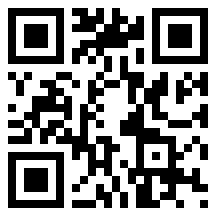
If you are interested in making your own QR Codes here is a QR Code for you to scan and bring you to the site.
Using the QR codes was something I am familiar with since I have used them in my graduate program before. We actually had our undergrads use the codes to navigate themselves around campus on a scavenger hunt. However I never got a chance to see how they were made since that was done by administration. It was cool to see them being put together and a left you thinking of how to use them in a classroom setting.
If you are interested in making your own QR Codes here is a QR Code for you to scan and bring you to the site.
Tuesday, September 10, 2013
My First Blog!
I really enjoyed the experience with learning about all the applications on the iPad during class today. The use of all these applications can vary from grade to grade since many of the applications can be used at multiple skill levels. I look forward to learning about all the new experiences that technology can bring to the learning environment for students.
Learning to use an iPad was a simple thing for me since I have experience with using one and was very familiar with what the iPad can offer. It was fun to see that there are ways to use the iPad so that students can interact with games and learning as well as being creative.
I hope to be very effective with being able to incorporate the use these technology devices that students use on a daily basis and turn them into a device that isn't just used for gaming. The more applications that are created for these devices the more things the students can use which helps things stay fresh to students and nothing becomes stall. I look forward to see what I will learn in this class since technology is always advancing.
Learning to use an iPad was a simple thing for me since I have experience with using one and was very familiar with what the iPad can offer. It was fun to see that there are ways to use the iPad so that students can interact with games and learning as well as being creative.
I hope to be very effective with being able to incorporate the use these technology devices that students use on a daily basis and turn them into a device that isn't just used for gaming. The more applications that are created for these devices the more things the students can use which helps things stay fresh to students and nothing becomes stall. I look forward to see what I will learn in this class since technology is always advancing.
Subscribe to:
Comments (Atom)